User:Rjensen
 Rochelle Jensen Rochelle Jensen | |||
|---|---|---|---|
 | |||
| Blog: | http://rocky11.blogspot.com/ | ||
| Employer: | University of Waikato | ||
| Occupation: | e-learning advisor | ||
| Nationality: | New Zealander | ||
| Languages: | English | ||
| Country: | New Zealand | ||
| Skype address: | rochellejensen | ||
| |||

Contents
Who am I ?
A primary school teacher with a passion for using ICT to support and enhance teaching and learning. In recent years I have worked as a digi-advisor. This role is all about supporting teachers with the effective selection and integration of digital content.
Click here to hear me introduce myself
My Interests
Family, friends and the great outdoors.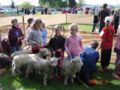
Pet Day
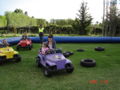
Fun Rides


My Projects
- My Blog : http://rocky11.blogspot.com/
- Digistore: http://digistore.tki.org.nz/ec/p/home
- Software for Learning The Software for Learning wiki is associated with the Software for Learning website on TKI, which features quality software recommended by New Zealand teachers for use in the classroom.
Photos

Facilitation Fun
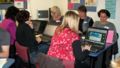
Learning Together

Collaboration


| Visit http://www.tki.org.nz/r/digistore/ Explore the ‘I Think’
series of digital content. How could these be used to assist your students?
|

Digital content is most effective when:

Feedback: Add your feedback text here |

My Reflection
- 07/03 - Nice to be back in this environment. Do love the concept!! Great to see the intro. of rich text editor.
- 31/08- 11am -Fun to learn something new.
What am I missing with images ???
- 31/08 - 1pm - I am out of the learning pit and getting a feel for wikieducator. Enjoying the experience and delighted to receive my apprentice level 2 badge.
- 31/08- 8pm - Attempting to use the collaborative video feature but keeps "buffering" !
Professional Readings
[[1]]
My Sandbox
The land of the long white cloud

File:Lucydancer 001File:Lucydancing

The Literacy Learning Progressions
Begins at the first year through until the end of year 10
Literacy Online


| WikiEducator Tutorials | ||
|---|---|---|
| Tutorial 10 | Introduction | Subpages | Previous and next links | Using Categories | Summary & FAQs |  |
- Chris
- Sam
- Lucy
To Do:
- Catch up on wiki-ed tutorials
- write conference proposal
- organise dates for e-lng bop
Feedback & Notes from my WikiNeighbours

Hello and welcome to eL4C29, a free online Learning4Content wiki skills workshop.
Enjoy the workshop.


You may wish to check the schedule and layout of the workshop and introduce yourself.
- Click on the link EL4C29.
- The page that will open is the workshop page with all the links you will be using during the workshop.
- See your name in the list of participants.
- Whenever you have time click on each of the boxes.
- You may even start with Day 1 activities.
- Enjoy the workshop. (
 : Hi Rochelle your page is great keep going if you need any help just let me know Rima 20:16, 31 August 2009 (UTC)) (: Hi Rochelle - not sure if we've met on Twitter but I have met Fiona - I'm looking forward to learning some new 'stuff' - see you in the workshops. --dragonsinger57 19:30, 20 August 2009 (UTC)) Rocky, I never doubted that some in L4C29 would have wiki skills and pleased to see you do. I am pleased to and Fiona are experienceing this firsthand. Please do contribute your insights inthe OERNZ Groupto help shape things to work better for the next group of kiwi educators.--Paul Seiler 07:15, 2 September 2009 (UTC)
- Enjoy the workshop. (


